Le développeur gdljjrod nous propose une nouvelle version de son programme Adrenaline Bubble Manager qui passe en version v2.10.
Au programme des nouveautés du logiciel qui permet de gérer et d'organiser les bulles personnalisées PSP ( HBS / PSX / ISO et CSO) , nous retrouvons un nettoyage du code, mais aussi la possibilité d'installer le pilote M33 à partir du menu principal grâce à la touche carré.
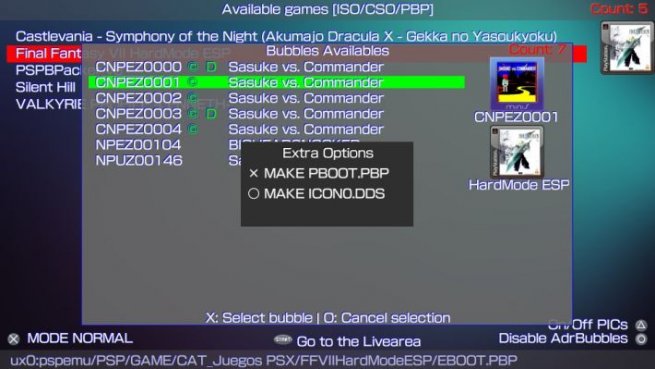
Et enfin le développeur a rajouté une option ICON0.DDS qui permet d'utiliser Pic1.png comme bg0.png et de mettre icon.dds dans une bulle, pour pouvoir faire cela il faut avoir lancé le jeu au moins une fois.
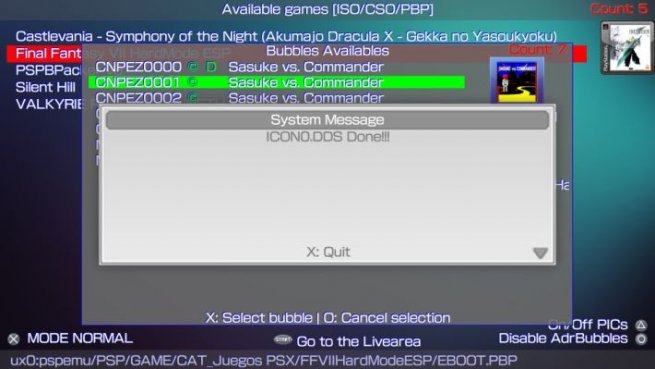
Adrenaline Bubble Manager v2.10@ONElua ONElua released this 3 days ago · 1 commit to master since this releaseAdrenaline Bubble Manager v2.10Changelog 2.10Now you can press [] to install M33 driver from start screen (for iso/cso files only).NEW OPTION ICON0.DDS: Added the option to use pic1.png to show as bg0.png, and to set icon.dds to be shown in full bubble (but, to use this feature, te game must have been booted once and changes will revert after a db rebuild).More Code got cleaned up a bit.ExtrasCross: Make PBOOT.PBPInserts a title and icon0 to be shown in livearea to Adrenaline's pboot.Circle: Make ICON0.DDSResizes the icon.dds to full bubble and sets the pic1 as bg0 for the chosen bubble. (Changes get reverted with db update)As an advice, you must create the custom bubble's PBoots first, after that, you can use the option ICON0.DDS for a complete bubble customization.
Téléchargement : Adrenaline Bubble Manager v2.10 (Vpk)


 Ajoutez moi => Ogami